Every window, one hover away
DockPeek adds live window previews to your Dock and a full window manager to macOS: snapping, tiling and drag-to-move. It never injects code into the Dock.
macOS 13 or later · Apple Silicon (M-series)
Live preview. No screen recording is ever saved.
This is what it looks like
Why you'll like it
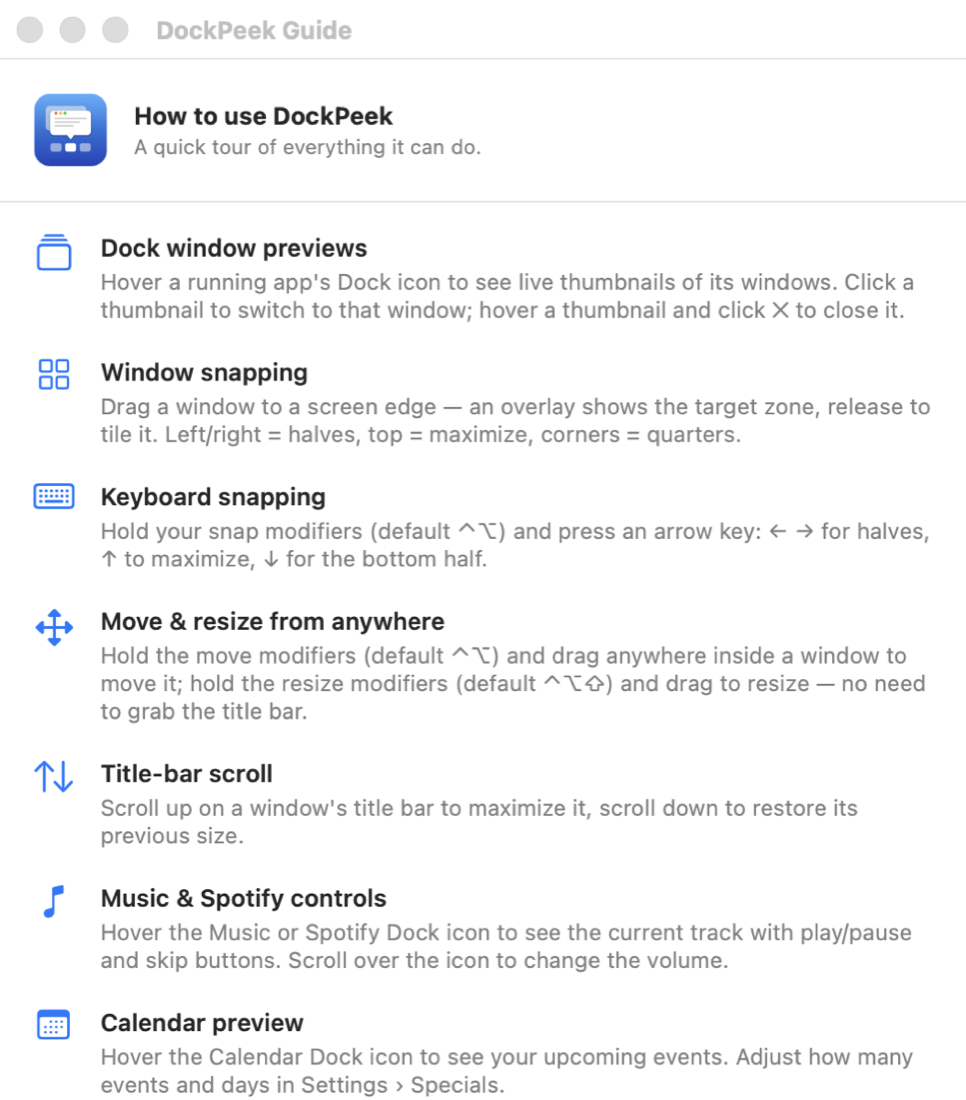
Live Dock previews
Hover a Dock icon for thumbnails of every window. Click to switch, ✕ to close the right one.
Aero-style snapping
Drag a window to a screen edge and an overlay shows where it will land: half, corner or full screen.
Keyboard tiling
A modifier plus the arrow keys tiles the front window left, right, up or down.
Move & resize anywhere
Hold your modifier key and drag anywhere inside a window to move or resize it, not just by the title bar.
All Spaces & minimized
Optionally include windows from every Space and minimized windows in the previews.
Menu-bar agent
Runs without a Dock icon. Deeply configurable, launches at login, stays out of the way.
DockPeek vs the alternatives
Dock previews and a modern window manager in one native, actively maintained app.
| DockPeek | HyperDock | Magnet | Rectangle | |
|---|---|---|---|---|
| Dock window previews | ||||
| Snapping & tiling | ||||
| Keyboard tiling | ||||
| Move/resize from anywhere | ||||
| Built for the latest macOS | ||||
| Price | €14.99 | ~€9.99 | €7.99 | Free |
Two permissions, nothing more
Accessibility
To read Dock item positions and to move or resize windows.
Screen Recording
To render the window thumbnails. Nothing is written to disk or sent anywhere.
Window thumbnails are created in memory, shown only in the preview popover, and never saved or transmitted. DockPeek only goes online to check for updates and to verify an activated license.
DockPeek
One-time purchase · 14-day free trial at launch · money back within 14 days of purchase
- All version 1 updates are free. If there's ever a version 2, you get it at least 40% off. Your current version keeps working, even if you don't upgrade.
- macOS 13 or later · Apple Silicon (M-series)
- Payments handled by our authorized reseller (merchant of record). VAT included at checkout.
Legal documents
The fine print, in plain language.